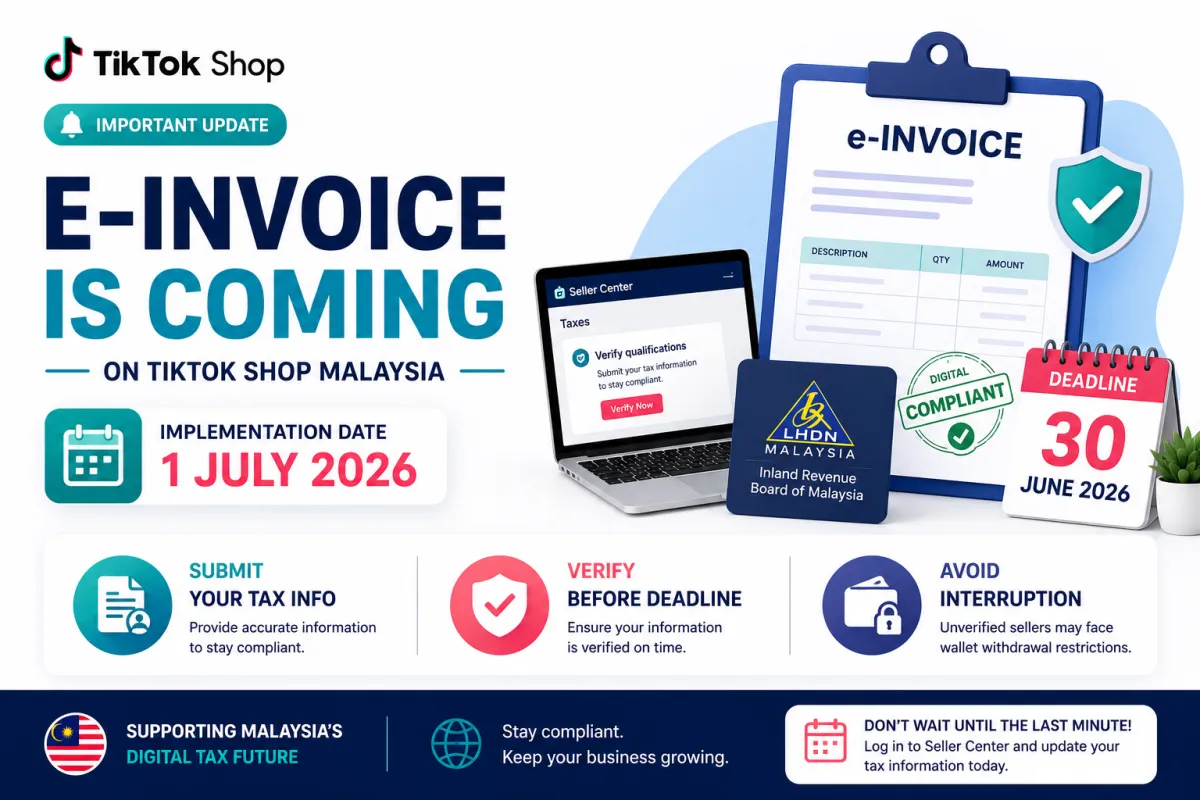
Important Update: E-Invoice Implementation on TikTok Shop by 1 July 2026
Important Update: E-Invoice Implementation on TikTok Shop by 1 July 2026
Hello, business friends! As a TikTok seller, we know you want to keep your business running smoothly and stay on the right side of the law.
The Malaysian government is moving toward digital tax reporting through the Inland Revenue Board (LHDN). To comply with these new rules, TikTok Shop will implement the e-invoice framework starting 1 July 2026.
If you are a TikTok for seller and owner account in Malaysia, please read this guide to ensure your shop isn't affected.
Why is this happening?
LHDN requires all businesses to issue e-invoices for transactions. For us, this means TikTok Shop will issue e-invoices to you. This helps you keep accurate financial records and makes your income reporting for taxes much easier and more transparent.
Important Deadline: 30 June 2026
You must submit your required tax information before 1 July 2026. ‼️ Warning: If you fail to submit your tax information or get it verified by the deadline, your wallet withdrawal function will be frozen.
How to Submit Your Tax Information
The submission page will be ready by the end of May 2026. Here is what you need to do:
Check for the Banner: Keep an eye on your Taxes page or Qualification Center in the Seller Center. If you see a "Verify qualifications" banner, click it to start your submission.
Batch Processing: Don’t worry if you don’t see the banner yet! Information is being collected in batches between 29 May and 30 June. Check your dashboard frequently.
Submit Your Details:
For Individual/Sole Proprietors: You will need your full name, ID number, and TIN (starts with "IG").
For Corporate Sellers: You will need your company name, registration certificate, TIN (starts with "C/D"), and billing address.
Check Your Verification Status
After you submit, keep track of your status on the Taxes or Qualification Center page:
Review in progress: Just wait a little while.
Review success: You are all set!
Review failed: Don’t worry, just update your info and try again.
For more details on your TIN (Tax Identification Number), you can visit the official LHDN website.
Don't wait until the last minute! Take a moment to log into your Seller Center and check your tax settings today. Happy selling!
Kemas Kini Penting: Pelaksanaan e-Invois TikTok Shop Menjelang 1 Julai 2026
Hai rakan usahawan! Sebagai seorang TikTok seller, kita semua mahu memastikan bisnes berjalan lancar dan mematuhi peraturan kerajaan.
Kerajaan Malaysia kini sedang beralih ke arah sistem e-Invois melalui Lembaga Hasil Dalam Negeri (LHDN). Bagi mematuhi peraturan ini, TikTok Shop akan melaksanakan rangka kerja e-Invois bermula 1 Julai 2026.
Jika anda seorang TikTok for seller and owner account in Malaysia, sila baca panduan ini supaya kedai anda tidak berdepan sebarang masalah.
Kenapa Ini Penting?
LHDN mewajibkan semua perniagaan mengeluarkan e-Invois bagi setiap transaksi. Ini membantu anda menyimpan rekod kewangan yang lebih tepat dan memudahkan proses pelaporan cukai pendapatan anda nanti.
Tarikh Akhir: 30 Jun 2026
Anda wajib menyerahkan maklumat cukai yang diperlukan sebelum 1 Julai 2026. ‼️ Amaran: Jika anda gagal menyerahkan atau maklumat anda tidak disahkan sebelum tarikh ini, fungsi pengeluaran dompet (wallet withdrawal) anda akan disekat.
Cara Serahkan Maklumat Cukai
Halaman penyerahan akan dibuka bermula penghujung Mei 2026. Berikut adalah cara untuk anda:
Semak Banner: Pantau halaman Taxes atau Qualification Center dalam Seller Center. Jika anda nampak banner "Verify qualifications", klik untuk mula.
Proses Berperingkat: Jangan panik jika anda belum nampak banner tersebut! Maklumat akan dikumpul secara berperingkat dari 29 Mei hingga 30 Jun. Kerap semak papan pemuka anda.
Sediakan Maklumat:
Individu/Pemilik Tunggal: Nama penuh, nombor pengenalan, dan TIN (bermula dengan "IG").
Syarikat (Korporat): Nama syarikat, sijil pendaftaran, TIN (bermula dengan "C/D"), dan alamat bil.
Semak Status Pengesahan
Anda boleh semak status anda di halaman Taxes atau Qualification Center:
Review in progress: Sedang dalam proses semakan.
Review success: Tahniah, semuanya sudah selesai!
Review failed: Jangan risau, kemas kini maklumat anda dan hantar semula untuk semakan.
Untuk maklumat lanjut mengenai TIN (Nombor Pengenalan Cukai), anda boleh layari laman web rasmi LHDN.
Jangan tunggu saat akhir! Luangkan masa untuk log masuk ke Seller Center dan kemas kini maklumat cukai anda hari ini. Selamat berniaga!